×
×
This article applies to the all-in-one cleaning mode.
1. Switch to cleaning system
Please click the orange button in the upper right corner to switch to the cleaning mode selection interface. Follow the instructions on the screen, click "Continue" to switch the system to cleaning mode, or click "Return" to remain in soldering mode.
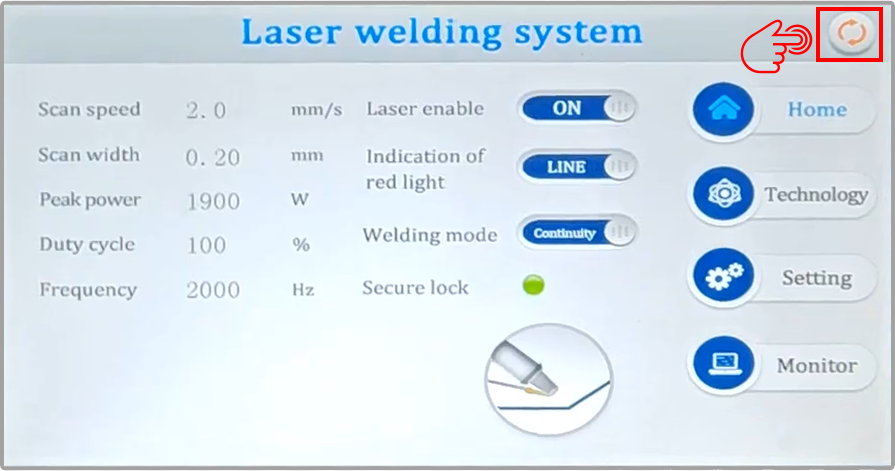
Graph 1. Click the orange button in the upper right corner.
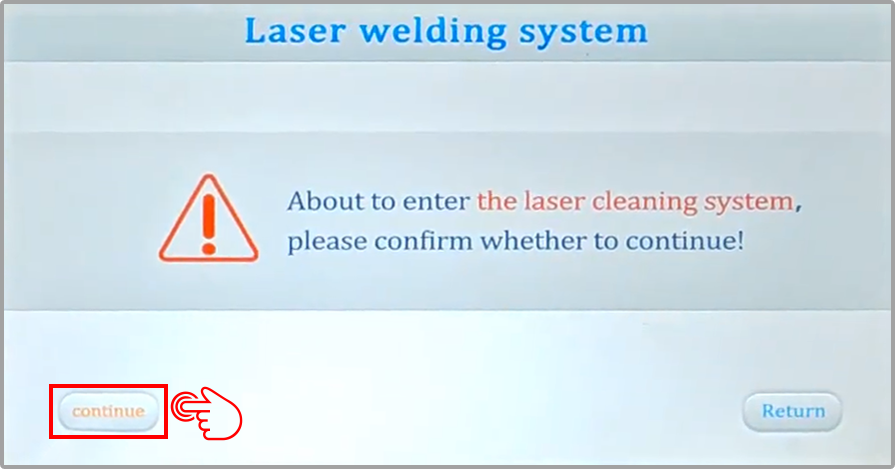
Graph 2. Click "Continue" to switch to cleaning mode.
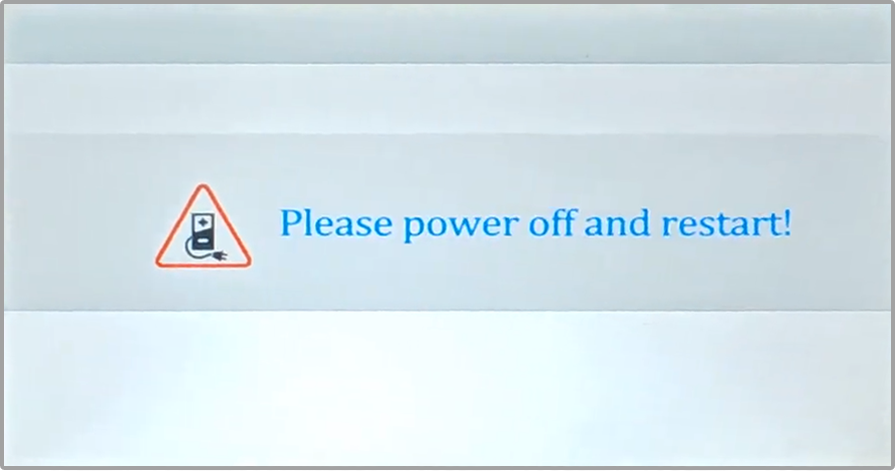
Graph 3. Power off and restart.
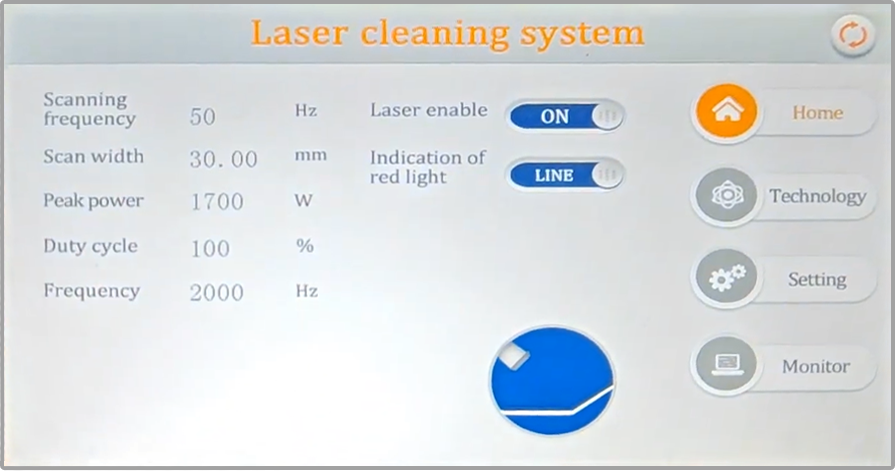
Graph 4. Cleaning mode interface.
2. Replace with a suitable focusing lens
Different camera models use different lenses. Please select according to the prompts. First, click "Setting" to enter the settings interface, then click "Gunhead model" to enter the lens selection, and then install the appropriate focusing lens.
The password for the settings interface is: 123456
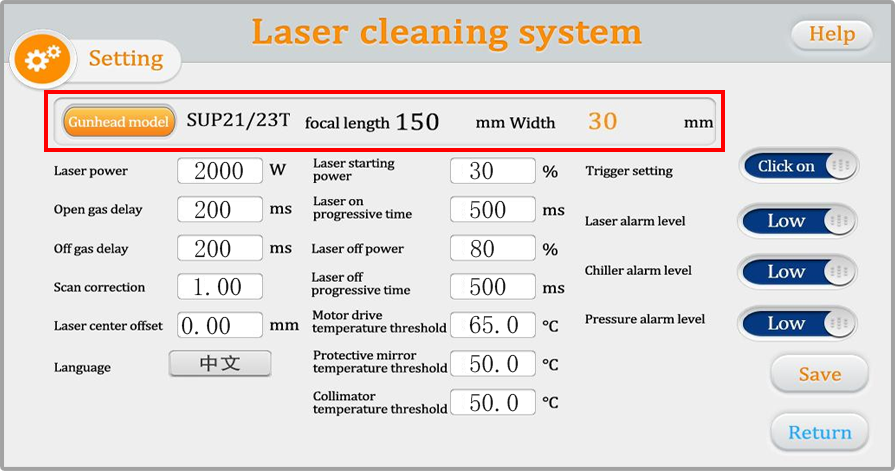
Graph 5. Cleaning mode interface.
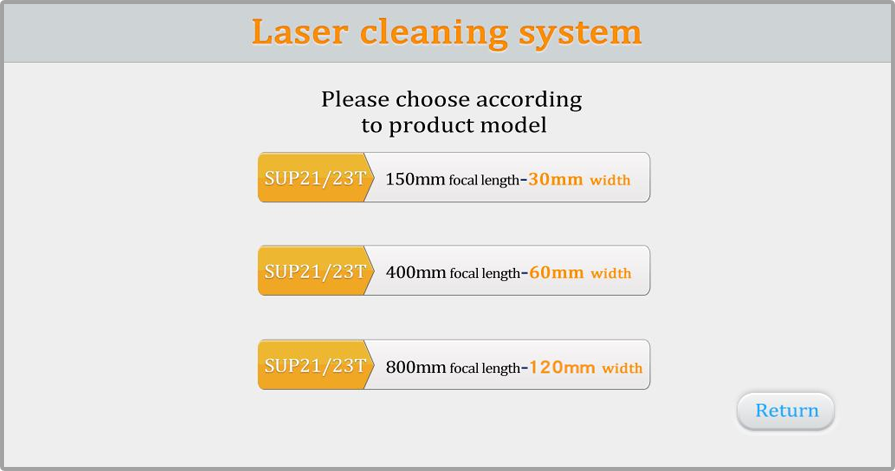
Graph 6. Lens specifications.
As shown in the figure, the scanning width is determined by the welding torch model and the focusing lens.
Taking the SUP23T as an example:
Using an F150 focusing lens, the maximum cleaning width is 30mm;
Using an F400 focusing lens, the maximum cleaning width is 60mm;
Using an F800 focusing lens, the maximum cleaning width is 120mm.

3. Remove the locking part in front of the gun head
The SUP23T requires loosening the locking screw on the side to remove the chuck;
the SUP21T requires loosening the screw on the top cover to remove the chuck.

Graph 7. Remove the locking screws.
4. Cleaning process
As shown in the image below, modify the parameters according to your machine configuration and usage needs, then save and import.
(Modify - Save - Import - Return)
Scanning Frequency: Motor oscillation speed, range 10-100Hz, recommended setting 80Hz;
Scanning Width: Scanning width of the laser spot, depends on the lens specifications used in your model, and is selected in the system settings;
Peak Power: Generally defaults to the laser's maximum power;
Duty Cycle: Default 100;
Pulse Frequency: Default 2000Hz.
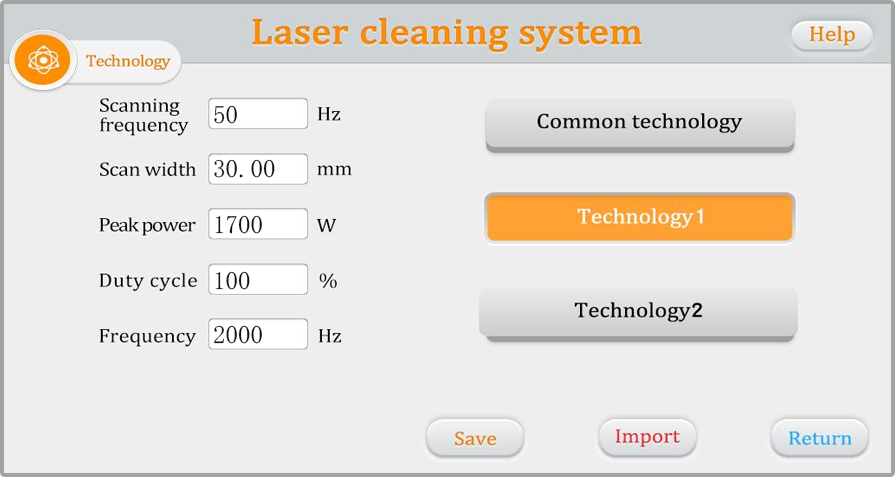
Graph 8. Process parameters.
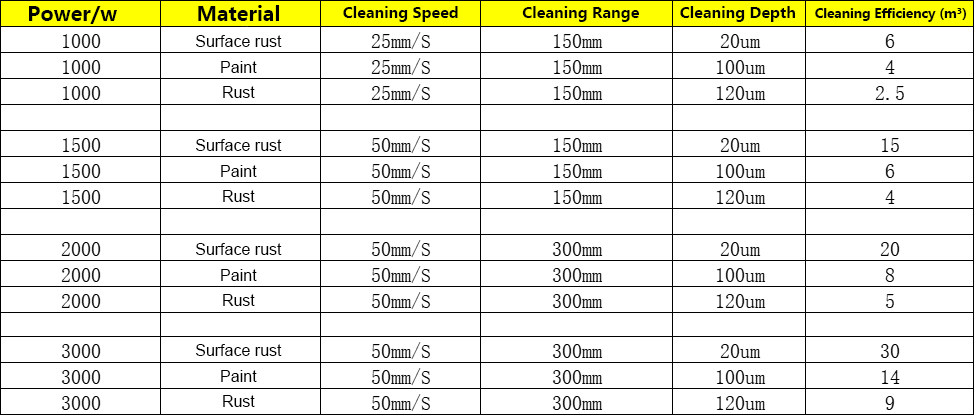
Graph 9. Cleaning Capacity Reference Table.
5. Focus Confirmation
By scanning back and forth at both near and far distances, the point where the sound and sparks are strongest is the focus. Cleaning should be performed at this distance for maximum energy.
The following are references based on the focusing method used:
F150 Focus (Generally, the distance between the nozzle and the material is approximately 10-15 cm for maximum energy);
F400 Focus (Generally, the distance between the nozzle and the material is approximately 35-40 cm for maximum energy);
F800 Focus (Generally, the distance between the nozzle and the material is approximately 75-85 cm for maximum energy).
6. Gas Usage
Cleaning Gas Selection: Air with a pressure not lower than 0.3 MPa, filtered through at least three stages, free of oil and water, or other inert gases.
During cleaning, please maintain a stable distance between the nozzle and the material, and keep the hand speed consistent.
 Hot News
2025-11-01
2025-12-03
2025-12-01
2025-11-25
 EN
EN